
Did you know that Mac OS X still recognises floppy disks? I wonder how many people realise this.
Did you know that Mac OS X still recognises floppy disks? I wonder how many people realise this.
Now this is interesting. It seems to me that Microsoft and Apple are doing something completely wrong. It appears that half of computer users is still using the previous version of Windows and a quarter is still using XP, while Windows 8 is out for a few months already. It is even worse for Mac OS X: most users decided to stick with Snow Leopard (10.6), while Apple already released two new versions of its operating system.

source: statowl.com
Why does this happen? First of all, because Windows 8 and Mountain Lion aren’t really upgrades. Windows 8 is nothing but Windows 7 with a brick wall that won’t run on netbooks with odd resolutions but will run on tablets and Mountain Lion is Lion with the same yet slightly tightened security measures and a few extra features, e.g. social integration, that nobody needs.Operating System Share' (%)
2009 2012
---------------------------------
MS Windows
Windows 8 0.57
Windows 7 3.13 48.77
Windows XP 56.62 25.66
Windows Vista 26.92 9.45
-----------------------------------
Mac OS X
OS X 10.4 2.07 0.33
OS X 10.5 5.80 1.43
OS X 10.6 2.54 5.24
OS X 10.7 4.62
OS X 10.8 2.13
-----------------------------------
Other
Linux 0.33 0.97
Other 2.02" 0.48
-----------------------------------
') numbers may not add up because
not al Mac and Windows versions are
included
") includes Windows 2000
Here’s an updated list of websites for starting LiveCode programmers.
http://h.webring.com/hub?ring=runtimerevoluti1The holidays are near, although some believe that the end is neigh. Both occasions are good reasons to offer you a big discount on a license for the Installer Maker Plugin. From 17 until 27 December, new licenses are 33% off.
Installer Maker Plugin is the best tool available for LiveCode to wrap your standalones in an installer for Mac OS X or Windows. An overview of all features can be found at http://qery.us/za and there you can also purchase your license.We are happy to announce a new version of the Installer Maker Plugin.
 In response to a number of recent bug reports from our customers, we have made the following changes:
• no more delay when going to a different screen (this delay now occurs right after you open the plugin/application and should now be hardly noticeable)
In response to a number of recent bug reports from our customers, we have made the following changes:
• no more delay when going to a different screen (this delay now occurs right after you open the plugin/application and should now be hardly noticeable) Bill Atkinson, creator of HyperCard, sees the seeds of early web browsing in the Apple software. Atkinson declares that HyperCard’s biggest impact is how it has influenced greater innovation. Complete video at http://qery.us/3bh (subscription needed to watch without ads).
It is a pleasure to announce a new version of the standalone edition of Installer Maker. Installer Maker is a tool for users of RAD tools, which allows you to quickly wrap your software in an installer for distribution.
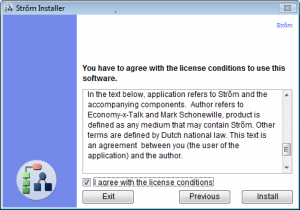
License Screen of the Installer Window
Installer Maker 1.7.14S contains all bug fixes and new features that have been added to the LiveCode plug-in since the release of IM 1.7.11S. Software that is installed on Mac OS X by an installer created on Windows now has its permissions set correctly (i.e. the software will actually run) and resource forks are now included. Altogether more than 50 bug fixes and new features have been implemented. A complete list of recent changes can be found on the website at http://installermaker.economy-x-talk.com and that’s where you will find downloads as well.
Installer Maker Window on Mac OS X 10.6.8
Installer Maker Plugin 1.7.14 for LiveCode and the standalone edition Installer Maker 1.7.14S are free for anyone who bought a license after 20 September 2012. An upgrade license can be purchased for only EUR 16.95 if your license is at most 1 year old. New licenses cost EUR 39.00. Licenses can be purchased at aforementioned website.This search field adjusts its size automatically to the size of its group. Use the pointer toolto select and resize the group.
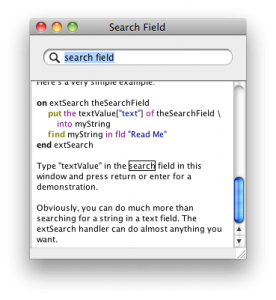
You can copy this search field and paste it into your own stack. All required scripts are included.
When you type return or enter, the message extSearch is sent together with the long id of the searchfield (actually the group). This allows you to retrieve the textValue property of the search field.
We got a request for information about Installer Maker, more specifically for instructions how to use it. We don’t have official documentation yet, but there are several places where you can find useful info. Currentl, there are the following options:
– a slightly old video tutorial at http://qery.us/39uWe make our website with a very simple CMS. This tool automatically creates all files we need and we only need to add a title in the list on the left and enter the text and a few HTML tags.

Recently, we needed a way to quickly find stray tags. We added a command line utility to validate the HTML code and a brief script that highlights in yellow all the HTML code that appears within one pair of tags. This is also useful to debug HTML code of other projects and thus we made a separate HTML editor with the same validating and highlighting features. Everything was scripted in LiveCode.